 OpenStreetMap

I participated in the coordination of the conference state of The Map Nigeria in preparation for the Conference
Diary Entries in English
Recent diary entries

Magic Earth is an Android App that used OpenStreetmap as it’s mapping source. Unfortunately many streets i travel either had no speed limit or a value that was in ERROR. So tonight I joined OSM and learned how to edit Speed Limits on streets. To my surprise I racked up 27 changes to post.
Editied OSM again this week.
I’ve spent time at Sargent Park (Winnipeg, Canada), and noticed a lot of missing pathways, which I can use on a bike or walking. I’ve made several updates to paths, roads, parking, fences, building names, facility names, etc.
I’m quite happy with the changes.
I haven’t found a good android app for OSM, either. Someone must know something decent– a kind of google maps competitor.
Today I came to think again about on-demand bus service areas. There is one mention on the OSM wiki: this explanation from Belgium, but I’m not sure if it really refers to a service area rather than a line with on-demand stops. The idea of the on-demand bus service area is that from one central stop a small bus will take you wherever you want to go, almost like a taxi, but only at certain times, and together with other passengers (if there are any). The concept has been quite common for some time in rural areas all over Europe. In my opinion, we could just draw the area, give it some tag so it is put down in the data that this rural area is generally accessible by public transport.
Mapper BroccoliB did so here, and his attempt was also what made me think about it again.
The reason I came across his edit was that my wife and I had a day off and used it for a bike ride through the sparsely-populated area north-east of Wolfsburg, just across the former border between West and East Germany. It was nice cycling along the Mittellandkanal - but I have to say that we are quite used to gravel tracks and have equipped our bikes with appropriate puncture-safe tyres. Some excellent pear trees along the road here. No traffic at all because of a road closure further south. When we came to the nearest larger village, we had to decide if we wanted to continue on the road in heavier traffic now or use a track running parallel. To our surprise (it wasn’t mapped as such yet), it had excellently smooth asphalt. For the way back we had opted for a bus line that also carries up to five bicycles (for free!). It’s really amazing what the land of Saxony-Anhalt with its limited resources and sparse population does for an attractive public transport. Lower Saxony could take a page from its book!

🗺️🦀 Hello OpenStreetMap community,
I am excited to share with you my latest invention, osm-yolo-crossings — a new tool that harnesses cutting-edge AI technology to autonomously detect and map pedestrian crossings (zebras) in OpenStreetMap. After the successful AI building import in Poland, it’s now time to expand and improve pedestrian safety!

Leveraging the power of YOLOv8 object detection, this tool is designed to ensure that we no longer miss pedestrian crossings on our maps. With an impressive >99.7% precision rate, it’s able to import around 88% of all detected crossings. The tool discards the remaining 12% due to low confidence levels. Thanks to smart filtering, this system is incredibly efficient. For instance, it can map the entirety of Poland in just about two months using a single server without GPU. This is AI working smart, not hard!

With the new release of more than 59 million points of interest (POIs) from Overture, consisting of Microsoft and Meta POI datasets combined, the natural question arises: how can this be useful for OpenStreetMap?
Challenges to consider
The most important challenge in getting this data into OSM is making sure the place labels in Overture have an equivalent in OSM. This is mostly doable with automation, but many cases require context.
Validation of these is a forthcoming challenge: street-level imagery from Mapillary will be especially helpful, but being there in person to validate is also a big advantage. That aside, even if the data can be added to OSM one-by-one (not imported) with validation, the tags need to have a proper format.
Loading up the data to analyze
I got started by referencing Feye Andal’s great and succinct guide on viewing the data in AWS Athena. I found a slight lack of clarity in the instructions: you need to make sure your Athena instance, and your S3 bucket where queries are saved, are on us-west-2 region, same as the Overture dataset, unless you copy the dataset first to a bucket in your other region. So make sure the regions are the same, and the instructions should work flawlessly!
Analyzing the data
Exploring the dataset, there are 1037 unique place labels in it. 86,000+ are structure_and_geography which can refer to a wide range of natural geography or built structures in OSM, difficult to match with any specific tag without context. Others translate directly, such as a laundromat.
Some example tags include: "forest", "stadium_arena", "farm", "professional_services", "baptist_church", "park", "print_media", "spas", "passport_and_visa_services", "restaurant", "dentist"
To get most of the tags matched, I used Python to import the OpenAI module, and connect to my OpenAI account, which charges a few fractions of a penny per request.
I set a system message, which defines the role the AI should play or assume. My message was:
Posted by TrickyFoxy on 2 August 2023 in English.
Last updated on 3 August 2023.

It seems that there is only one instruction for getting fresh Sentinel-2. It tells you quite well how to prepare images, but it is difficult to explain how to use them in OSM editors. So after step 7, you can do
without GeoTIFF and tile server
- Select in QGIS:
Processing->Toolbox->Raster Tools->Generate XYZ tiles (MBTiles) - Set the parameters:
- to
Extentof the map area you need. -
Maximum Zoomis most likely 15. - In
Output Path, specify where to save the tile file
- to
- Click Run and wait for rendering to finish.
- Install the
mbtilesplugin in JOSM - Open the file you received in step 3.
By the way, recently Guru Maps learned how to tear off MBtiles https://gurumaps.app/blog/2023/06/14/mbtiles
But if you still want a tile server, you can do without tileserver-php from the instructions. And without the QTiles plugin, it will also work faster!
Classic tiles with a web server
- Select in QGIS:
Processing->Toolbox->Raster Tools->Generate XYZ tiles (Directory) - Set the parameters:
- to
Extentof the map area you need. -
Maximum Zoomis most likely 15. - Set
Output Directory. You can immediately select the directory of your web server.
- to
- Click Run and wait for rendering to finish.
- Start your web server. If you didn’t use Nginx or Apache, open the folder with your tiles in the terminal and try using the web server in Python:
python -m http.server 80or PHP:php -S 127.0.0.1:80 - In JOSM, open
Preferences->Layers->+TMS - Enter a URL like this:
http://localhost/<tile folder name>/{zoom}/{x}/{y}.png - Get closer to the desired area in JOSM and select your new layer from the Layers menu.
p. s. I used QGIS 3.32.1-Lima.
upd: method from @maraf24
Classic tiles for JOSM without a web server
Instead of starting the web server, specify the following URL in JOSM:
file://<absolute path to the folder with tiles>/{zoom}/{x}/{y}.png
Posted by pedrito1414 on 1 August 2023 in English.

This OSM diary is an English translation of Yekastreet’s OSM diary post called Sobre el “Mapping Workshop 2023”. Translating and re-posting because I enjoyed it so much :D
A reflection of YEKA and our journey…
Among the many kilometres of routes we have mapped in the seven years since Youthmappers started, our own journey as YEKAStreetMGA continues to surprise and please us the most. We have grown as a team, from our first mapathons in the barely equipped classrooms of the university, to the partnerships we are now forming with our local mapping networks. Design by design, we make the use of open data tools a little more accessible. Through methodological design (a term unthinkable for us in the early days), we have now transformed our first university meetings into structured processes to disseminate and share our knowledge with a new community of mappers.
What we have experienced as students, as women, in a socio-political context that routinely places us between non-functional institutionalism and the uncertainty of self-management in educational processes, reaffirms once again that teaching is a highly political act. Empowering. Essential in the construction of new models of society. And, in a country where making community is a crime, mapping and locating ourselves is in itself an act of humanitarian rebellion. Here we are, here we exist, more than planimetry and satellite rasters. We are vectors on the map, with direction and meaning. And our dedication and commitment to cultivating and growing the community in Central America overcomes the risks and dangers.
Central America yes, because when we speak of Latin America we make invisible the particular individuality of Central Americans, we exist between Mexico and South America, and although we share, we are indisputably different from the rest of Latin America in our struggles, way of life, needs and challenges.
wow!
i’m loving open street maps! never gave it the time of day before ;)

Hello everyone, better late than never, and yeah, that’s my first time here =D
This is meant to be a testimonial covering a somewhat more technical part, for a more “fun” version, I made a thread on Twitter* with LOTS of good photos!! (last year I’ve made a similar) !!
Well, in the beginning, I wasn’t expecting to even be at the event, like, another continent, too expensive travel… I’ve submitted my piece of work, that I was already working on It was (accepted)[https://talks.osgeo.org/foss4g-2023/talk/CRPWUS/]!
Then I’ve been approved for the travel grant program and also as a volunteer!!! I was so so glad, then I need to say thanks again for OSGEO, FLOSSK, UFPR, and HOT they were the ones that made the travel possible!!
Kosovo is a lovely country, there’s amazing and quite affordable food everywhere! Also, the locals and the “locals”, but from Albania (I found this shared sense of belonging very enchanting) received me very well, I got to know many badass people from FOSS community, like the giants from OpenLabs and Cloud 68, they are incredible people and contributors, now I’m really eager to get to know Tirana!
Now getting to the promised technical part: I saw so many solutions and applications, It’s so amusing to see ever-growing FOSS software, including in fields like 3D GIS and even digital twins fancy stuff.
As an OSM lover what I found most heartfelt was that everyone was so fond of OSM there, all applications with base maps had some OSM flavor/derived there, and all making analysis using OSM as the main or one of the data sources…
Posted by chris_debian on 31 July 2023 in English.

Do we (OSM) have a league table for all countries/ entities (non-countries?), which is based on the quality of OSM mapping in that country?
I ask this question, because I was undertaking a MapRoulette challenge, to help with mapping in Algiers, and although some pockets of excellent mapping existed, it seemed clear that this was very much the exception.
-
How do we gather metrics, to assess the quality of mapping in a given country, so that quality can be improved?
-
How do we engage with the ‘local’ OSM community, to perhaps help them to improve mapping?
-
Can we define a regular (and repeatable) set of MapRoulette challenges, that would enable remote mapping to be carried out, in support of ‘hands-on’ mapping/ surveying carried out by ‘locals on the ground’?
-
How do we publicise tools such as StreetComplete, to help populate the data/ metadata of a country, in order to build upon the ‘big picture’ data that is gathered?
-
What are we missing, above?
Please add to this, and edit, as appropriate.
Many thanks,
Chris

My personal list of the OSM projects for Slovakia (assorted by importance):
- house numbers adding
- cyclo routes adding
- tracks adding (based on strava heatmap)
- new bildings adding based on ortophoto
- wikidata and wikipedia tags adding
- waterways adding
- railways tracks (re-)numbering
- cry me a river - river precising
- run forest run - forests’ precising
- changes sets` review requests from new users
- railway lines (long distance, commuters) - https://loom.cs.uni-freiburg.de/global
- school/ agricultular (ex. JRD) areals
- 3D buildings (churches, POI buildings…)
- roundabouts precising
- rail and informal path crossings’ access (type: node child railway child (highway=path -access=no)) -maxspeed -missing power lines
ToDos:
Welcome tool - https://welcome.osm.be/europe
Surfaces - https://data.humdata.org/m/dataset/slovakia-road-surface-data
JuRaVa cycloroute - to map by armchair mapping
Entry point
Posted by b-unicycling on 29 July 2023 in English.
Inspired by my endeavours to create a colour-coded map of sewer vents/ stink pipes by manufacturer, and by my county council’s endeavour to undertake a survey of holy wells, I started adding name:etymology:wikidata first to the holy wells in Co. Kilkenny, but then to the whole of Ireland.
I had produced a video about mapping holy wells in March 2021, but I think I need to make an updated one, because I was oblivious of the name:etymology group, and instead, had suggested people use subject:wikidata. Silly me. But at least, I only had to retag some of them rather than looking up every name.
Some saints or holy people like St. Patrick and “Our” Lady where easily identified, of course, but there were some very obscure saints there for which I had to create wikidata entries. For some, I just could not figure out which saint the holy wells were named after. I also had to skip St. Brigid and St. Kieran, because either name relates to more than one saint.
The first night I did this, I gave every saint a colour or colour combination, but I had to give up on that, because it is called the land of 1,000 saints after all. Here’s a list of saints IN Ireland on wikipedia: https://en.wikipedia.org/wiki/List_of_saints_of_Ireland. There are holy wells named after Biblical saints and early, non-Irish saints as well.
Some holy wells are also not named after a saint, but after the cure they supposedly give, Tobernasuil would be healing eyes, for example. That’s how far my Irish goes… But I’ve asked someone for help. But I added the wikidata identifier for “eye” in that case.

Rock glaciers – a mixture of ice and gravel that very slowly flows down a slope – are not mapped much. So it seems. Let us have a look. They are said to cover 167.2 out of 12.640 km² in the province where I live, so no small feat.
There is an inventory of 5769 polygons for them in mountainous Austria available for free online. Here to the description - https://doi.org/10.17738/ajes.2020.0001 - Here to the data - https://doi.org/10.1594/PANGAEA.921629
As usual, data is BIG. Let us trim it down a bit first: We only want rock glaciers in the narrow sense, of those only the so-called intact ones, and that not so overnoded.
ogr2ogr -simplify 0.01 -s_srs RGs_all_LambertProj.prj -t_srs EPSG:4326 Blockgletscher.geojson RGs_all_LambertProj.shp -where "LfState='INT' and LfType='rg'"
Resulting Blockgletscher.geojson loads quickly into JOSM. We can now pan and zoom the data smoothly over OSM-Carto background. This goes to show that rock glaciers are in fact mapped! Yet not as one might infer from the name, as natural=glacier, but natural=scree instead, at least, where there is something mapped at all and not just blank space.

- buildings_tools
- ColorPlugin
- imagery_offset_db
- Mapullary
- PicLayer
- reverter ???
- tageditor
- turnlanes-tagging
- turnrestrictions
- utilsplugin2

.
Posted by SomeoneElse on 24 July 2023 in English.
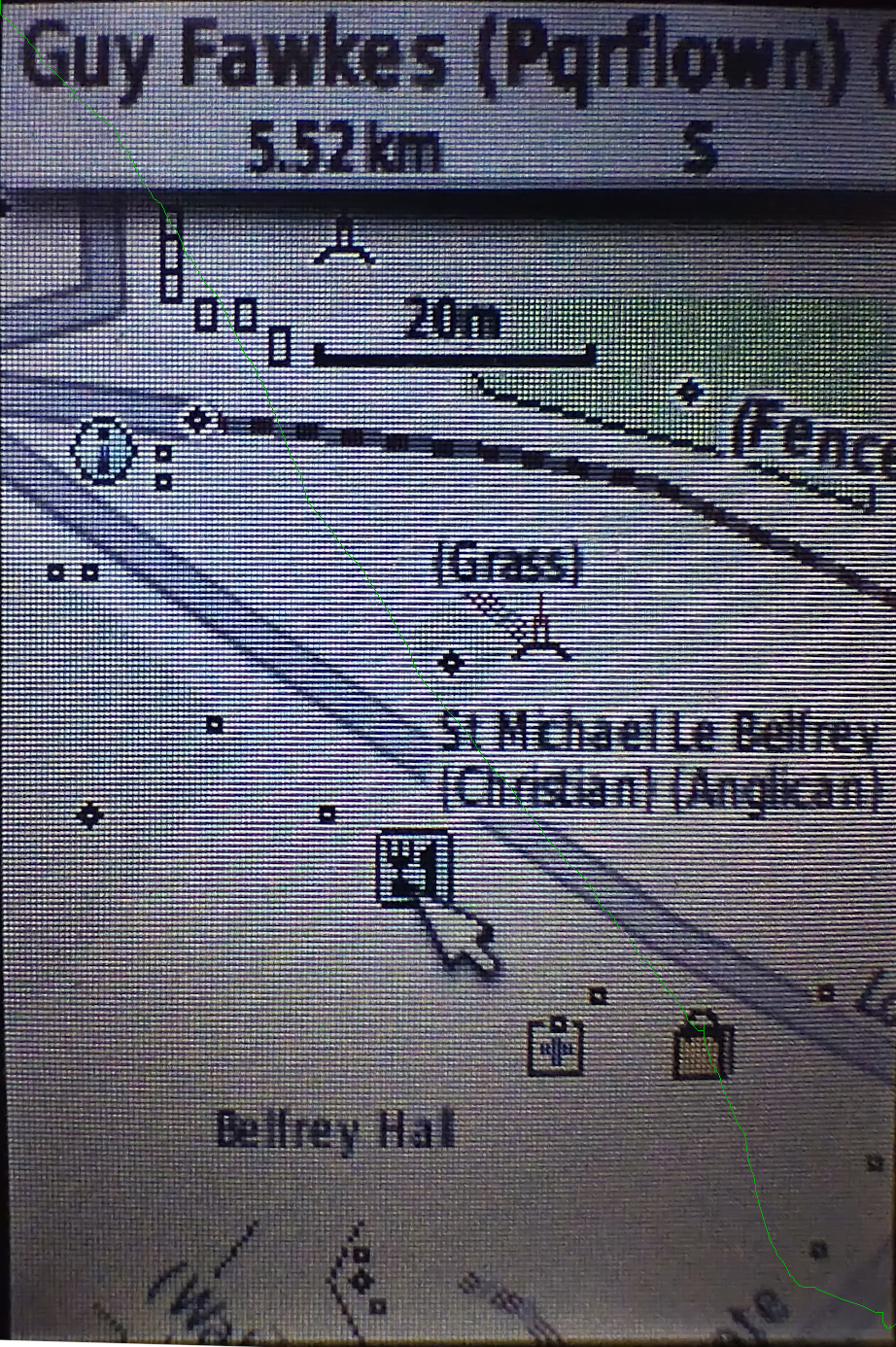
For many years I’ve used Garmin devices for both for navigation and for collecting data for OSM. As well as lots of premade maps in different styles it’s actually pretty easy to tinker with the map style yourself, although the OSM wiki makes it seem much more complicated than it actually is. It’s also pretty easy to see what OSM keys map to what values - there’s a file for points, one for lines and one for polygons that shows what OSM key and value corresponds to what Garmin feature.
I also maintain a web map style that tries to be much more inclusive than other web maps in terms of what it shows (have a look around the map legend for that), and thought that it’d be great to do the same for Garmin maps too. The web map style uses a lua script to preprocess OSM data before the CartoCSS code deals with it, which makes the latter much, much simpler. It turns out that exactly the same approach works when creating Garmin maps too, as described on this page.

Why are you mapping sidewalks as separate paths, rather than as tags on roadways?
While sidewalks as tags are adequate for many applications, they lack the ability to add detail to crossings and curbs. This information is vital for people who use visual and/or mobility aids. There is a project called OpenSidewalks which aims to bring equity to pedestrian data and provide routing tools for people whom have more specific mobility needs than what traditional routing tools can accommodate. Here is an excerpt from their mission:
Pedestrian pathways are critical infrastructure in urban environments that help people engage in their professional, community, and daily lives. To promote equitable urban growth, transit-oriented development, and resilient communities, we must give strategic, pedestrian-centric consideration to our sidewalks and pedestrian pathways, which are the dynamic connective tissue of our physical environments. Individuals experience the built environment in innumerable ways depending upon many factors, including their mobility. Therefore, their optimal path through the built environment is not necessarily the shortest or most direct route (despite the inherent Google Maps bias). Rather, their travel experience is influenced by static physical features, e.g., the availability of curb ramps and auditory signaling at crosswalks, as well as transient conditions (like precipitation). Automated routing applications can also make great use of this kind of data. For example, provided with such information, individuals prone to slipping on wet terrain could circumvent cobblestone sidewalk surfaces on rainy days, and individuals who require curb ramps can selectively identify routes that can accommodate their needs.
Additionally, much of Montréal already had sidewalks mapped as separate ways, and I am just expanding that coverage.
Guidelines
Sidewalks
Sidewalks should be: